> ## Documentation Index
> Fetch the complete documentation index at: https://docs.orpheus.run/llms.txt
> Use this file to discover all available pages before exploring further.
# Deploy Your First Agent
> Step-by-step guide to deploying an agent
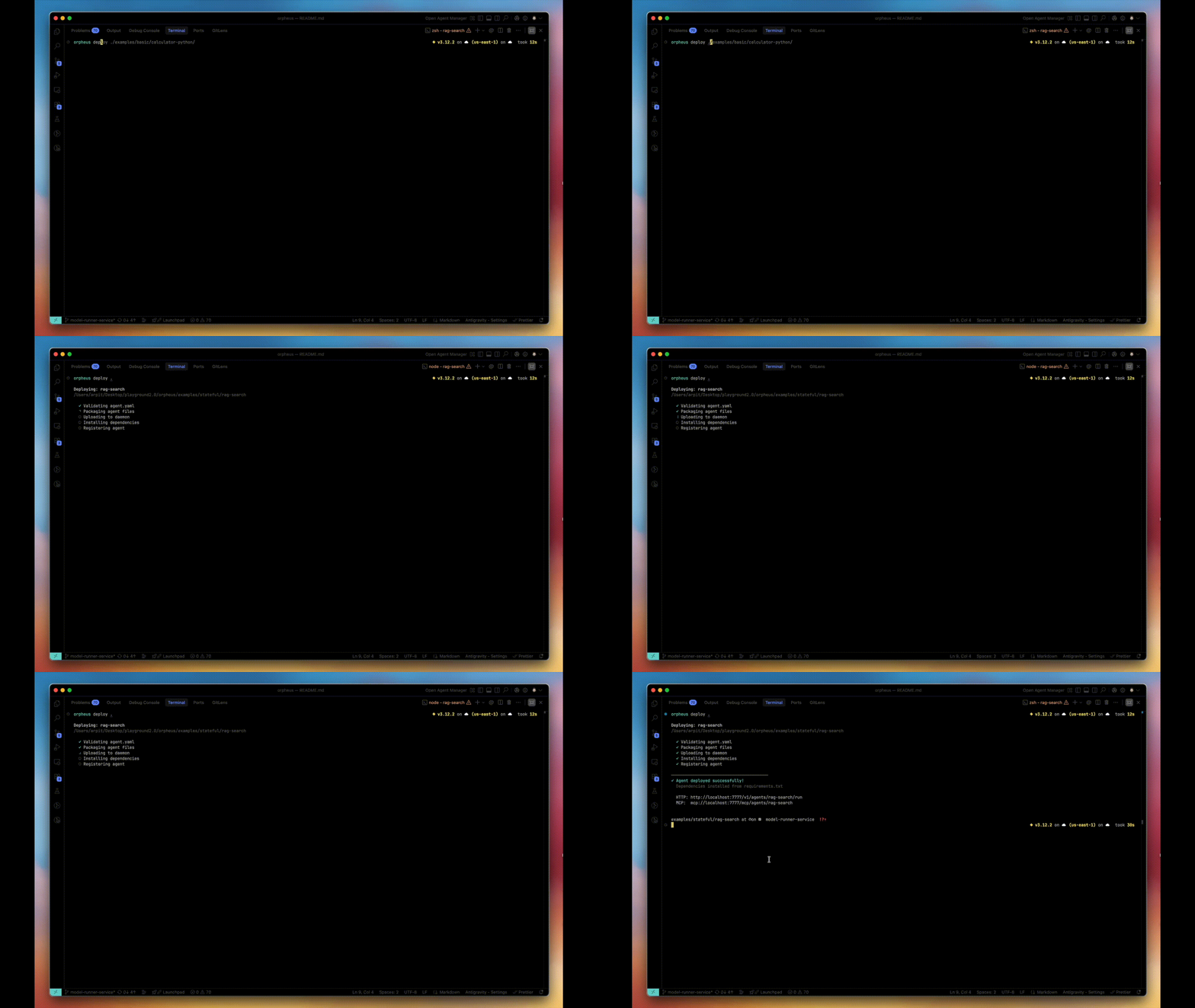 This guide walks you through deploying an agent from scratch.
## Prerequisites
* Orpheus installed ([Installation Guide](/installation))
* Daemon running (`orpheus status` shows healthy)
## Step 1: Create Agent Directory
```bash theme={null}
mkdir my-agent && cd my-agent
```
## Step 2: Create agent.yaml
Every agent needs a configuration file:
```yaml theme={null}
name: my-agent
runtime: python3
module: agent.py
entrypoint: handler
memory: 512
timeout: 60
scaling:
min_workers: 1
max_workers: 5
```
**Key fields:**
* `name`: Unique identifier for your agent
* `runtime`: `python3` or `nodejs20`
* `entrypoint`: Function that handles requests
* `min_workers`: Keep this many workers always ready
## Step 3: Create Your Handler
**agent.py**
```python theme={null}
def handler(input_data):
query = input_data.get('query', '')
# Your agent logic here
result = process(query)
return {
'result': result,
'status': 'success'
}
def process(query):
return f"Processed: {query}"
```
The handler receives JSON input and returns JSON output.
## Step 4: Deploy
```bash theme={null}
orpheus deploy .
```
**What happens:**
1. Agent packaged and sent to daemon
2. Workspace created at `~/.orpheus/workspaces/my-agent/`
3. Worker pool started with `min_workers`
4. Agent ready to receive requests
## Step 5: Verify
```bash theme={null}
# Check it's deployed
orpheus list
# Check worker status
orpheus stats my-agent
```
## Step 6: Run Your Agent
```bash theme={null}
orpheus run my-agent '{"query": "hello world"}'
```
**Output:**
```json theme={null}
{
"result": "Processed: hello world",
"status": "success"
}
```
## Updating Your Agent
After changing code, redeploy:
```bash theme={null}
orpheus deploy .
```
Workers restart with new code. Workspace files are preserved.
## Removing an Agent
```bash theme={null}
orpheus undeploy my-agent
```
This deletes the workspace. Back up files first if needed.
## Next Steps
Make your agent stateful
Persist files across requests
This guide walks you through deploying an agent from scratch.
## Prerequisites
* Orpheus installed ([Installation Guide](/installation))
* Daemon running (`orpheus status` shows healthy)
## Step 1: Create Agent Directory
```bash theme={null}
mkdir my-agent && cd my-agent
```
## Step 2: Create agent.yaml
Every agent needs a configuration file:
```yaml theme={null}
name: my-agent
runtime: python3
module: agent.py
entrypoint: handler
memory: 512
timeout: 60
scaling:
min_workers: 1
max_workers: 5
```
**Key fields:**
* `name`: Unique identifier for your agent
* `runtime`: `python3` or `nodejs20`
* `entrypoint`: Function that handles requests
* `min_workers`: Keep this many workers always ready
## Step 3: Create Your Handler
**agent.py**
```python theme={null}
def handler(input_data):
query = input_data.get('query', '')
# Your agent logic here
result = process(query)
return {
'result': result,
'status': 'success'
}
def process(query):
return f"Processed: {query}"
```
The handler receives JSON input and returns JSON output.
## Step 4: Deploy
```bash theme={null}
orpheus deploy .
```
**What happens:**
1. Agent packaged and sent to daemon
2. Workspace created at `~/.orpheus/workspaces/my-agent/`
3. Worker pool started with `min_workers`
4. Agent ready to receive requests
## Step 5: Verify
```bash theme={null}
# Check it's deployed
orpheus list
# Check worker status
orpheus stats my-agent
```
## Step 6: Run Your Agent
```bash theme={null}
orpheus run my-agent '{"query": "hello world"}'
```
**Output:**
```json theme={null}
{
"result": "Processed: hello world",
"status": "success"
}
```
## Updating Your Agent
After changing code, redeploy:
```bash theme={null}
orpheus deploy .
```
Workers restart with new code. Workspace files are preserved.
## Removing an Agent
```bash theme={null}
orpheus undeploy my-agent
```
This deletes the workspace. Back up files first if needed.
## Next Steps
Make your agent stateful
Persist files across requests